
Walk into any high-performing real estate office, and you’ll see digital screens front and center, pulling in attention, showcasing listings, and making the brand look sharp. That’s the power of digital signage: immediate impact, clear value, and a polished, modern presence.
Standing out isn’t optional anymore; it’s essential. Digital signage gives you a flexible, modern way to connect with buyers and sellers, whether they’re passing by your window, waiting in your lobby, or attending an open house.
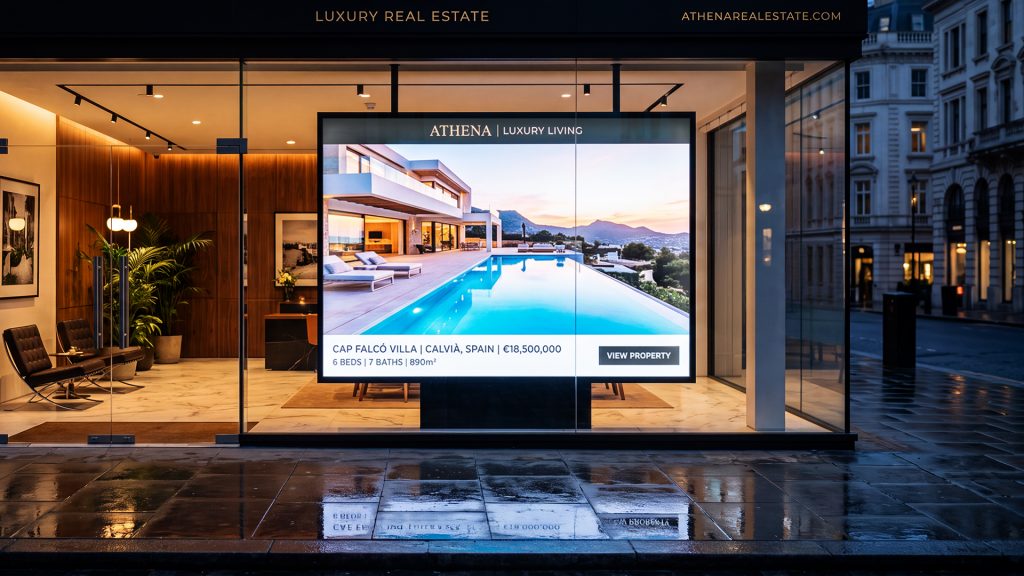
Printed posters are slow and costly to update. Digital signage lets you refresh content in minutes, with no extra printing and no delays. Promote a new listing in the morning, push a weekend open house in the afternoon, and spotlight a client win by evening, all from one screen.
Here are 10 digital signage strategies any agency can use to boost branding, drive more leads, and deliver a standout client experience.
Concept 1: Dynamic Property Listings Display
What It Is
The most popular and possibly the most successful real estate digital signage application is a dynamic property listings display. This is a screen mounted in your office window, in your reception area, or on an independent kiosk that automatically cycles through your current property listings.
What to Include
- High-quality, professionally shot photos of properties.
- Property address and key details (bedrooms, bathrooms, parking, land size)
- Price or price guide!
- Key selling points or a short description.
- Name and contact information of an agent.
- QR code to link to the online full listing.
Why It Works
People passing your office are already thinking about real estate. A dynamic listings display gives them instant info, no need to step inside or ask questions. It sparks engagement and opens the door for real conversations.
Take it further by syncing your digital signage with your CRM or property management system. New listings and price changes update automatically; no manual work is required.
Concept 2: Neighborhood Spotlight Screens
What It Is
Neighborhood spotlight screens do more than show properties; they sell the lifestyle. If you specialize in a local area, this is your chance to position your agency as the community expert.
What to Include
- A few highlights of the local cafes and restaurants.
- School ratings and closeness information
- Public green spaces, public transportation, and community amenities
- Prices for houses in the area (median house prices, recent sales)
- The pictures of the region are lifestyle photography.
Why It Works
Buying a home means buying into a community. Showcasing local lifestyle content on your screens builds trust and gives buyers a real sense of what living there looks like.
Spotlighting the neighborhood also opens doors with local businesses. Feature their cafes or shops on your screens, and they might return the favor on their socials or in-store displays.
Concept 3: Agent Profile and Team Showcase
What It Is
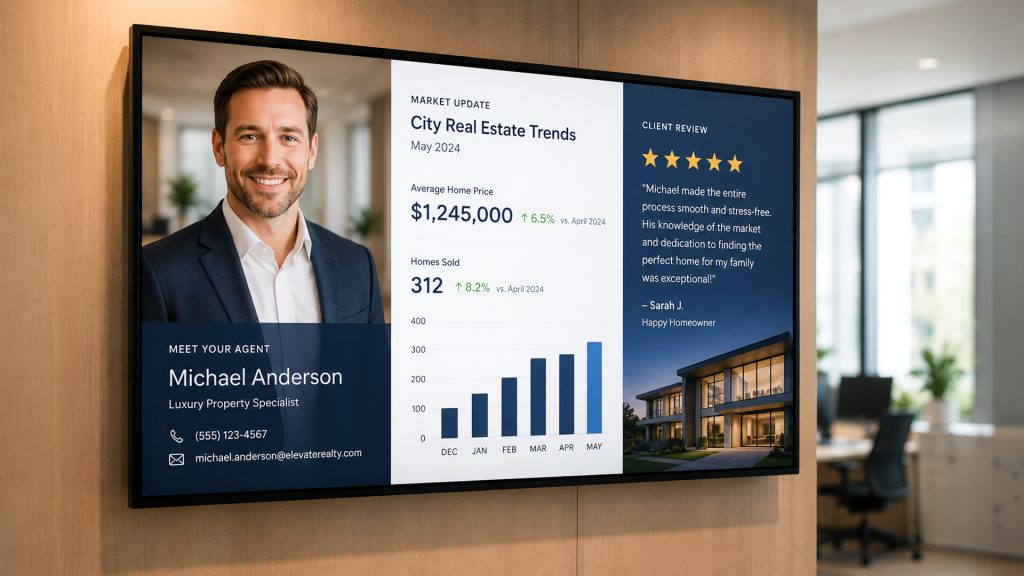
Real estate is built on relationships. Agent profile displays put your team front and center, building trust before clients even walk in. It’s your brand, face-to-face, from the first glance.
What to Include
- Professional headshots of each agent are required. Each agent must have professional headshots.
- Name, title, and years of experience
- Specialty areas (residential, commercial, property management)
- A short personal message or idea about real estate.
- Contact information, social media, and handles.
- Recent sales and wins
Why It Works
When clients see your agents on screen before stepping inside, it feels personal. They know who you are and what you stand for, which is crucial in a crowded market.
Rotating profiles also show you have a strong, well-staffed team, not just a couple of agents.
Concept 4: Live Market Data and Stats Boards
What It Is
Live market data on your screens positions your agency as the go-to resource for real estate insights. Show suburb-level stats, price trends, auction rates, and more.
What to Include
- Median house and unit values for top boroughs
- The number of items sold weekly or monthly.The number of items sold per week or month
- Auction clearance rates
- Changes in interest rates (from official sources such as the Reserve Bank or the Federal Reserve)
- The price growth compared year-on-year
Why It Works
Buyers and sellers want real-time market info. When your screens deliver it, your agency becomes the trusted source, even for people just browsing.
Place these displays in your office windows during peak foot traffic times— weekday afternoons, evenings, or weekend mornings—for maximum visibility.
Concept 5: Client Testimonial Walls
What It Is
A testimonial wall puts real client feedback and results on display, one of the most powerful forms of social proof you can add to your digital signage strategy.
What to Include
- Written testimonials (Client name and suburb).
- Star ratings
- A comparison of two or more stories before and after a treatment (e.g., “Listed at $X, sold for $Y in Z days”)
- Video testimonials, if available, should be short.
- Google review scores and RateMyAgent ratings.
Why It Works
People trust people, not just brands. Seeing real success stories on your screens reassures new clients and reminds existing ones that they made the right choice.
Make sure to get permission from clients before featuring their testimonials on public-facing displays.
Concept 6: Interactive Property Search Kiosks
What It Is
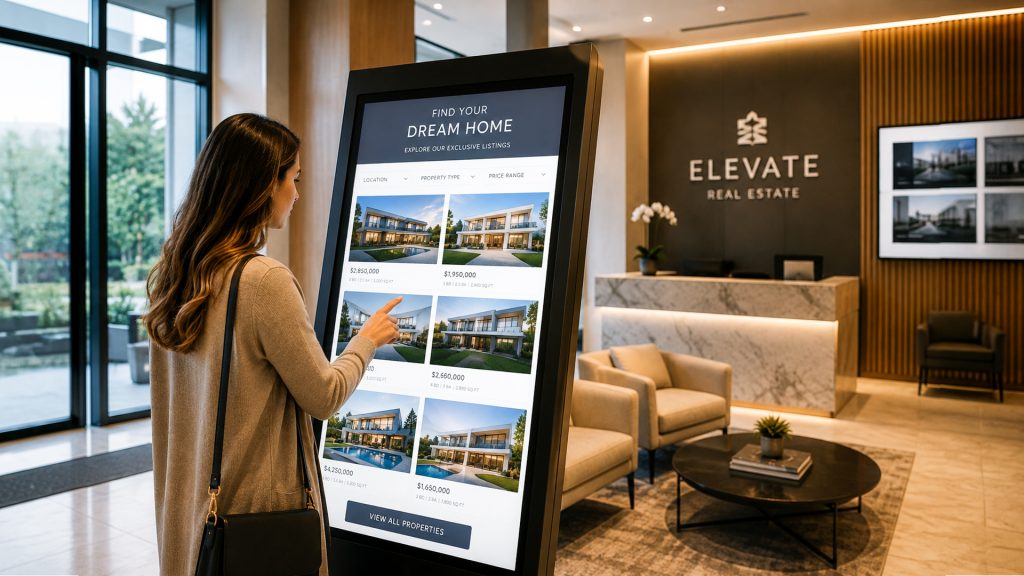
Real estate digital signage takes an interactive property search kiosk to the next level, letting people view properties directly on a touchscreen, whether in your office or in a secure outdoor installation.
What to Include
- Complete property search including filtering (bedrooms, property type, price range)
- High-resolution image galleries
- Virtual tour integration
- Floor plan views
- Address direct inquiries by phone using a direct inquiry form or QR code.
Why It Works
Self-service kiosks are a win for today’s buyers and sellers. Not everyone wants to talk to an agent right away; kiosks let them explore at their own pace until they’re ready to connect.
They work very well in high-traffic areas, such as shopping malls, train stations, and other business premises.
Concept 7: Open House and Event Announcements
What It Is
Promote open houses, auctions, and community events on your screens. It keeps your content fresh and drives real traffic to your listings.
What to Include
- Address of the property and open house date/time
- Countdown Timer to Auction Day
- Contact information for private inspections.
- QR code to register interest or add event to calendar
- Community events that your agency will be sponsoring in the near future.
Why It Works
Timing matters. Digital signage makes open house announcements impossible to miss and easy to update, so you catch the right buyer at the right moment.
Concept 8: Brand Story and Company Culture Displays
What It Is
Digital signage isn’t just for listings. Use your screens to tell your agency’s story, share your values, and show how you serve clients, building a real emotional connection.
What to Include
- A brief history of your agency
- Your purpose and values
- Community involvement and charity work
- Photos or short video clips of your team “behind the scenes.
- We have recognized students with awards and industry recognition.
- Results (e.g., “More than 1000 families supported since 2010”)
Why It Works
When services and prices look the same, your brand story sets you apart. Show your team, your values, and your community involvement; give people a reason to trust and choose you.
Concept 9: Social Media Feed Integration
What It Is
Embed your live Instagram or Facebook feed in your digital signage. It keeps your screens fresh and proves your agency is active and connected.
What to Include
- Live Instagram or Facebook post feed.
- As virtual assistants, we can help you conduct a virtual walkthrough or create reels.
- Community engagement posts
- Sharing content created by the user (when in the user’s best interest)
- Create and share hashtag campaigns that are relevant to your agency or suburb.
Why It Works
Bringing social proof into your office bridges the gap between your online and offline brand. When clients see your active feeds in person, they’re more likely to follow and engage.
There are tools such as ScreenCloud and Yodeck that offer social media integration in their digital signage platforms.
Concept 10: Window-Facing LED and Video Displays
What It Is
High-brightness LED and video wall screens in your office window deliver maximum impact. They’re visible in direct sunlight and grab attention from far away.
What to Include
- Bold, eye-catching real estate photos.
- Simple text, but containing key details on properties (not too wordy)
- Animated elements to catch the eye
- Use of brand colors and logo.
- Simple call-to-action (e.g., “Call us today” or “Scan to view more”)
Why It Works
Your office window is prime advertising real estate. A high-brightness display acts as a 24/7 billboard, with no reprinting and instant updates. For agencies on busy streets, this can drive a real spike in walk-in inquiries.
Tips for Getting the Most Out of Real Estate Digital Signage
Given this foundational knowledge, here are some tips and tricks to get your real estate digital signage working for you:
1. Keep Content Fresh
One of the biggest mistakes agencies make is to post stale content. Make sure to check and refresh your screens regularly, preferably once a week, or daily if you have an active listing display.
2. Use Professional Design Templates
Pay for well-designed templates that are consistent with your brand guidelines. A consistent style, color, and layout on all screens strengthens your brand recognition.
3. Match Content to Screen Location
Content for a window-facing screen (viewed by passers-by) should be entirely different from the content on a screen in your waiting room (viewed by your clients who are already in the appointment). Adjust your message to the situation.
4. Use a Reliable Digital Signage Platform
Select a platform that is easily remotely updatable, has scheduling functionality, and integrates with your current tools. Popular options include:
- NoviSign
- Disploy
- Yodeck
- Screencloud
5. Test and Measure
If the interactive kiosks permit it, gather data on engagement, how long people spend interacting with them, which properties they look at most, and what searches they make. Use this data to enhance content strategy over time.
6. Maintain Your Hardware
Flickering, dusty, or error-message-displaying screens are awful to the eye. Regularly check hardware and maintain displays.
Common Mistakes to Avoid
Some of the worst things that can happen to a real estate agency are getting it wrong when establishing its digital signage. Here are the most prevalent ones to pay attention to:
- Lots of text on the screen: Large amounts of text can be difficult to read and can be easy to overlook. Be brief and to the point.
- Low-resolution images: They will appear pixelated or blurry on a large screen, which looks unprofessional. Always use high-res images.
- Lack of call to action: Each screen will have a next step—scan a QR code, dial a phone number, or visit a website.
- Branding inconsistencies: Using a variety of fonts, colors, or logos across screens reduces your brand’s strength.
- Not updating content: If a house has been listed for 6 months, or if an open house has already been held, nobody’s taking a look.
- Bad placement: Screens located in hard-to-view areas are an investment that goes downhill.
How to Choose the Right Digital Signage Software
Choosing the right software platform is just as important as the hardware. Here is what to look for:
Key Features to Consider
| Feature | Why It Matters |
| Cloud-based management | Update content remotely from anywhere |
| Scheduling tools | Automate content changes by time and day |
| Template library | Create professional screens without a designer |
| Multi-screen management | Control all your screens from one dashboard |
| Integration options | Connect to CRM, social media, or property portals |
| Analytics | Understand how your content is performing |
| Support | Reliable customer support when things go wrong |
Questions to Ask Before Committing
- Is there a trial period before buying?
- How many screens does a plan support?
- Can you offer a long-term contract, or do I pay month-to-month?
- Will it work with my screen hardware?
- How often are new features being added to the platform?
- Most trustworthy platforms offer a free trial, so try before you buy.
Conculsion
Real estate digital signage is not just for large real estate franchises with a large budget. The availability of cheaper hardware and increasingly easy-to-use software platforms enables agencies of all sizes to produce high-quality, attractive digital displays that can really be felt in how their brand is perceived.
Use these 10 concepts from dynamic listings to neighborhood spotlights and interactive kiosks as your blueprint for a digital signage strategy that fits your agency, your market, and your clients.
The secret is to get a place to begin; it can be as simple as the initial screen in your office window that cycles through current listings. Once familiar with the technology and results begin to show, increase the number of screens, concepts, and increasingly sophisticated content strategies.