
A few years ago, hallway posters and dusty noticeboards were still clinging to life in many schools. In 2025, those paper antiques have mostly vanished, replaced by bright digital displays that do far more than announce the lunch menu. From interactive timelines that students can access between classes to real-time safety alerts during severe weather, educational digital signage has evolved into a comprehensive instructional tool.
Educational Digital Signage is transforming the education sector, profoundly impacting how information is disseminated, interactions are facilitated, and communication is streamlined in schools and universities. This technology goes beyond static bulletin boards and printed announcements, offering dynamic, interactive ways to communicate with students, teachers, staff, and visitors.
At its core, digital signage in an educational environment is a strong communication tool. It improves information flow by offering real-time updates on schedules, events, and major announcements. Instant access to such information greatly reduces confusion and keeps everyone informed, whether it’s about a classroom change, a campus-wide crisis, or a student club meeting.
Beyond simple announcements, educational digital signage maximizes interaction by providing a platform for interactive content. Interactive screens can be employed for wayfinding, campus tours, or as touch-screen kiosks for accessing resources and information. This degree of interactivity stimulates engagement and has the potential to make the learning environment more dynamic and user-friendly.
In addition, educational digital signage helps foster a more lively and community-oriented campus environment. It can highlight student success, encourage school spirit, post campus news, and even point out key academic deadlines. Through its integration of communication, information, and interaction, digital signage makes educational institutions more effective, interactive, and knowledgeable spaces.
For example, on a recent trip to my niece’s middle school, I saw a team of seventh-graders arguing about which volcano simulation to fire up on the corridor screen. It hit me: screens, once reviled as distractions, are now integrated into the fabric of learning when they’re designed well. In this article, we’ll look at some unexpected ways educational digital signage is revolutionizing classrooms today, supported by real-world examples and new research.
Multilingual Welcome Boards Cater to Diverse Families
Most parents who are non-native English speakers tend to feel isolated and disconnected during school activities such as open houses and parent-teacher conferences. Such a language gap may become a huge barrier to successful communication and collaboration between home and school, ultimately affecting students’ success.
But new solutions are being developed to address this challenge. A compelling example comes from a Minnesota elementary school. They effectively addressed this challenge by implementing multilingual educational digital signage, which resulted in a remarkable 30% increase in parent-teacher conference attendance. This increase can be seen as an example of how far-reaching the effect of making communication accessible can be.
When schools present information in multiple languages, families are better able to “read the room”. They can read announcements, navigate the school buildings, and engage more confidently in discussions about their child’s education. Beyond attendance statistics, greater family involvement creates a stronger sense of community within the school, builds greater trust between teachers and parents, and fosters a more supportive learning environment for students. It highlights the important reality that when parents feel genuinely welcomed and kept in the loop, their engagement and support for their child’s education consistently increase.
Real-Time Safety Alerts Without Raising Anxiety
When conveying emergencies, a discreet color flash, in addition to a brief, pre-approved message, can be far more effective and quicker than using only public address systems. The multi-model method guarantees the transmission of critical information instantaneously and concisely, particularly in cases where an auditory warning may be overlooked or misinterpreted due to noise, distance, or language barriers.
Implementation Tips for Effective Emergency Messaging:
Maintain a Calm and Reassuring Visual Aesthetic:
Font Choice: Utilize calm, easy-to-read fonts. Avoid script or highly stylized fonts that can be difficult to figure out quickly, especially under stress. Sans-serif fonts like Arial, Helvetica, or Open Sans are generally preferred for their readability.
Animation Avoidance: Steer clear of alarming or overly dynamic animations. While a subtle flash of color can draw attention, rapid flashing, complex transitions, or overly dramatic visual effects can induce panic and detract from the message’s clarity. Simple, steady displays or gentle pulses are more effective for conveying urgency without causing distress. The goal is to inform, not to scare.
Pair Messages with Location-Based Instructions:
Contextual Relevance: Emergency messages must always be extremely specific to the display’s geographic location. A general “evacuate” message is much less useful than one that gives clear direction.
Customized Directives: A digital sign in a library with people on the inside, for example, could tell occupants to “Shelter in place because of a threat outside. Go to inner rooms away from windows.” A sign in a facility, however, with several exits and possibly expansive open areas, could tell occupants to “Evacuate immediately using the east side exit doors. Go to Muster Point B outside.”
Dynamic Information: Use systems that can dynamically change messages based on the type of emergency and its exact location within the facility. This calls for a powerful content management system capable of pushing targeted messages to specific displays or zones.
Clear Graphics/Maps: Where possible, include simple, clear graphics or floor plans with text to guide people visually. Arrows pointing to exit paths or icons identifying safe areas can greatly improve understanding and response time.
By carefully working through these suggestions, organizations can establish highly effective visual emergency communication systems that improve safety, minimize confusion, and enable quicker, better-organized responses in emergencies.
Interactive Historical Timelines Turn Hallways Into Museums
Consider interactive screens transforming school corridors into vibrant history galleries. Students, rather than dashing by, might interact with the past itself. These new screens would enable them to seamlessly move through decades, maybe even swiping left, or dive deeply into a particular moment by simply tapping a photo. Every tap might bring a full archival video instantly into play, animating historical episodes with authentic footage and audio.
One of the vital aspects of this vision is the focus on Student-Led Content. This strategy allows students to become active producers of documents and sharers of history, helping them feel more in tune with and committed to their community.
Local History Clubs as Curators: Imagine history clubs not merely learning history but also participating in the discovery and sharing of local history. They might work to discover and carefully prepare for presentation narratives specific to their community, such as a watershed 1968 civil rights protest march, and emphasize the local people and events that influenced their community. This active experience turns historical study from being a spectator sport into an investigative, creative process.
Oral Histories through QR Codes: Further enrich the content by strategically placing QR codes near historical images or descriptions. Students could scan these codes with their smartphones to instantly access oral histories recorded by grandparents and other community elders. These personal accounts would provide invaluable first-hand perspectives, bridging generational gaps and adding emotional depth to historical understanding. This not only preserves invaluable personal narratives but also strengthens intergenerational connections within the school and wider community.
The use of such a system would produce substantial Learning Outcomes:
Promotes Informal Learning: The interactive screens would turn former unproductive passing times into informal learning opportunities. Students, even in brief intervals, could browse during free time, learn about history, and soak it up without the stress of a conventional classroom environment. This makes learning more natural and enjoyable.
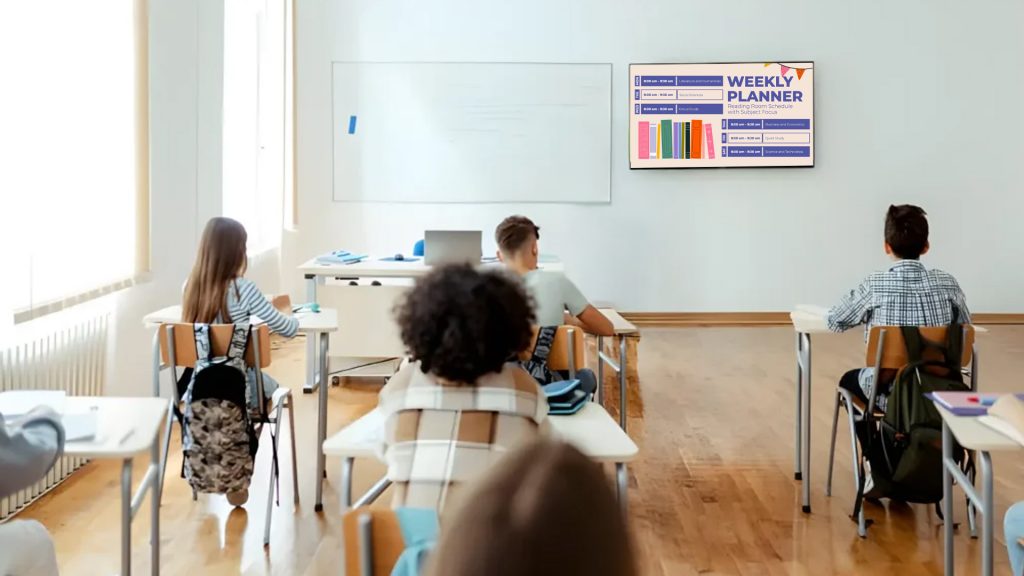
Strengthens Community Pride and Cross-Generational Relationships: By highlighting local history and allowing students to connect with older generations through oral histories, these exhibits would instill in students a strong sense of community pride. They would become aware of their town’s rich heritage and what previous generations contributed, thus gaining a greater appreciation for it. In addition, the process of gathering and sharing oral histories would constructively establish and reinforce intergenerational relationships, enabling students to learn directly from lived experience and promoting empathy and understanding between age groups.
Adaptive Morning Announcements Personalize the Day
In addition to announcements, educational digital signage transforms school-wide communication. Rather than a lone principal’s monotone voice over the intercom reading off generic messages, digital screens can provide highly targeted news and information, specifically categorized by grade level. This guarantees that students are getting content not only applicable to their age level but also framed in a manner they can easily grasp and interact with.
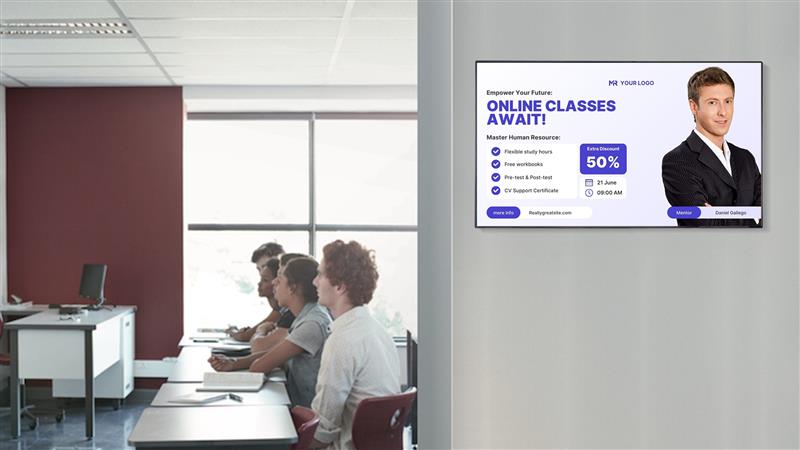
This individualized approach has a visible effect on school operations daily. Teachers consistently report experiencing significantly fewer missed deadlines for homework and crucial school events. This is because information is shared in a timely, age-relevant manner, making it highly likely to be consumed and implemented by students. The digital and dynamic aspect of digital signage, as opposed to fixed bulletin boards or overlooked announcements, also plays an important role here in increasing such information retention and responsiveness.
Gamified Environmental Dashboards Encourage Sustainability
Dream up a school where turning off lights isn’t merely a rule, but a competition that excites! This forward-thinking strategy converts energy saving from a passive directive into an active, immersive challenge for the students. It goes beyond mere promises, enabling students to see firsthand the direct effect of their efforts as energy consumption data decreases in real time, reinforcing a stronger sense of sustainability.
Engagement Elements
House Competitions: The classes are organized into “houses,” which compete to reduce their “watt footprint.” This competitive aspect harnesses students’ natural energy, encouraging teamwork and strategic planning among teams. Points collected for energy saved, generating a real-time leaderboard that stokes healthy competition.
Micro-rewards: Instant satisfaction is an important factor in reinforcing good behavior. Virtual badges, displayed prominently next to the homeroom for the week, give students real-time feedback and a sense of accomplishment. This ongoing feedback loop keeps students engaged and conscious of their efforts.
This experiential, real-time feedback system, along with gamified features, is a strong motivator for energy conservation. A successful small-scale program in Singapore in 2025 is strong evidence of the value added. In a single semester, the project achieved a staggering 12% savings in electricity costs, as outlined in the Ministry of Education Green Schools Report (2025). This concrete financial benefit highlights the pragmatic advantages of such initiatives, showing that environmental stewardship can also create tremendous operating efficiencies.
Inaudible Subtitles Make Video Accessible in Noisy or Quiet Locations
Hallway exhibitions are increasingly used to present stimulating, short-form video content, usually accompanied by captions. Such shots can range from informative science experiments and art advertising to thrilling sports highlights. One great step forward in this context is the refinement of automatic speech recognition (ASR) technology, which can now display subtitles on screen both quickly and accurately.
Inclusion Benefits
The inclusion of captioned video material on wall displays offers numerous advantages, most notably in creating an inclusive atmosphere.
Accessibility for Students with Hearing Loss: This technology specifically caters to students with hearing loss. By delivering accurate, timely captions, these individuals can easily keep up with the content being shown without needing to use additional assistive devices. By integrating this smoothly, they are not denied information or entertainment that is accessible to their fellow students and are encouraged toward a more inclusive learning and social experience.
Breaking Through Environmental Noise: Hallways tend to be noisy spaces in general, particularly during heavy use or when activities like marching band practice are nearby. Under these circumstances, audio content tends to get lost or drowned out. Captions help ensure that all people, regardless of ambient noise, can clearly understand and relate to the content being presented. This ensures that vital notices, informative goody, or compelling visual narratives are always within everyone’s reach, even in the middle of busy school life.
On-Demand Wayfinding for Visiting Students and Staff
During busy district-wide events, our campus often experiences a large influx of new visitors. To provide a seamless, user-friendly experience for all, we have introduced innovative educational digital signage that transforms how individuals navigate our buildings.
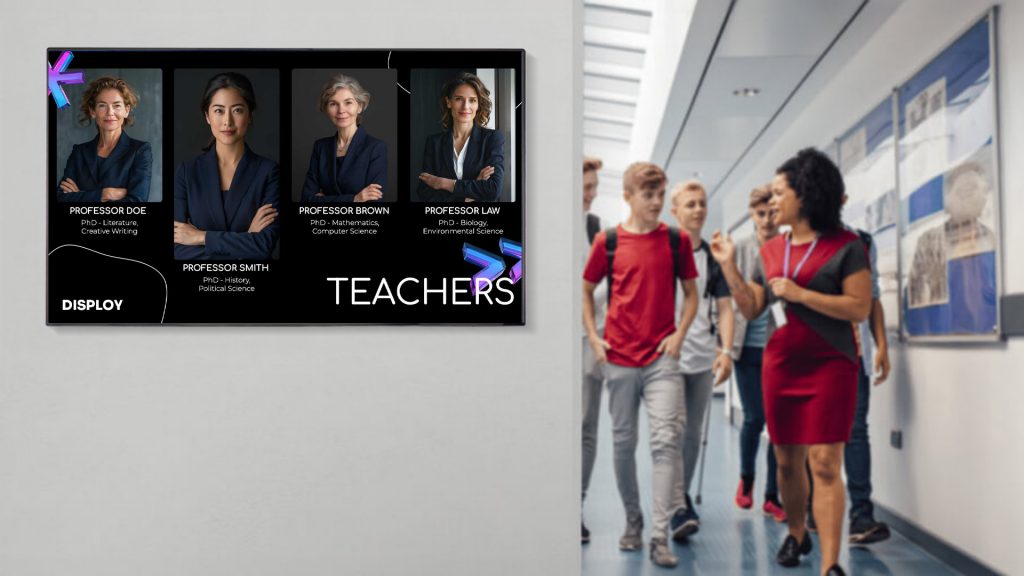
Interactive Maps on Large Touchscreens: Instant Orientation and Wayfinding
Strategically located throughout our facilities, massive interactive touchscreens serve as master navigation centers. Colorful, richly detailed screens display elaborate, easy-to-interpret maps of the entire campus. Guests can easily find specific breakout rooms, lecture halls, administrative spaces, and even essential facilities such as restrooms and dining areas. With a few taps, visitors receive concise, step-by-step instructions, significantly reducing time wasted navigating to their destinations and avoiding confusion.
Cool Touch: Personalized Guidance through Digital “You Are Here” Pins
To further enhance our dedication to intuitive navigation, we’ve integrated an intelligent “Digital ‘You Are Here’ Pins” system. This advanced technology uses proximity sensors to automatically detect a user’s location when they near a touchscreen. A virtual “pin” subsequently appears on the digital map, accurately marking the user’s location. This direct spatial awareness significantly reduces orientation time, enabling visitors to quickly understand their environment and chart their course with greater confidence.
This distinctive aspect was designed and implemented with inspiration taken from efficient information kiosks in contemporary airports. Nevertheless, we rigorously translated the core technology and user interface to ensure they integrate well with our campus setting while strictly adhering to privacy procedures. This provides a very efficient, individualized, and private wayfinding experience that enhances the overall visitor experience during any district-wide event.
Student-Curated Art Galleries Change Every Month
Our cutting-edge system redefines how student art is displayed and enjoyed, going beyond the limitations of fixed gallery spaces. See below for a comprehensive review of its main functionalities:
Curated Digital Selection: The art instructors are responsible for curating the digital exhibition. They take great care in selecting high-quality scans of two-dimensional artworks, including paintings, drawings, and mixed media, to ensure each detail is rendered clearly. For three-dimensional pieces such as sculpture or pottery, advanced 3-D models are created, enabling observers to rotate the artwork and view it from all sides, creating a highly immersive experience.
Dynamic and Fair Display Scheduling: The foundation of our system is a high-level scheduling program that provides balanced, dynamic exposure for each student artist. This program efficiently cycles work during the day, ensuring that all artwork gets focused screen time on the electronic displays. This eliminates the typical problem of some works being forgotten due to a lack of available physical wall space, giving every artist an equal chance to excel.
As Ms. Rossi, an enthusiastic art educator in Phoenix, correctly observes, projecting student work online has considerable benefits. It altogether avoids the endemic “limited wall space” dilemma that normally afflicts school art exhibits. In addition, this virtual venue serves as a compelling incentive for timid artists who might otherwise hesitate to have their work presented publicly. The non-threatening character of an online exhibit invites wider participation and creates a more diverse artistic community.
Easy Parent Involvement and Program Support: Additionally, to further enrich the experience and benefit the arts program, parents can access a password-protected online portal. With this portal, they can easily purchase professional-quality prints of their child’s work, providing a lasting memento. A committed portion of the proceeds from these print sales is reinvested directly to support the school’s arts program, providing essential resources for art supplies, special projects, and extracurricular arts activities. This bottom-line funding model directly supports the students and helps maintain the progressive development and enrichment of their arts education.
Conclusion
Digital signage in 2025 is no longer just about aesthetics; it is a high-tech, multi-faceted communication system that significantly impacts culture, safety procedures, and learning instruction. No longer passive displays, dynamic screens are now an integral part of the day-to-day functions of institutions and perform numerous important functions.
Take, for example, the transformation that data dashboards can bring to educational environments. These are not merely information screens but dynamic tools that quietly nudge students towards better scholarly practices and good behavior. By showing improvement, highlighting opportunities for improvement, or even just celebrating collective success, these dashboards foster a culture of self-improvement and ongoing refinement.
At the same time, the prevalence of multilingual digital boards creates a setting where all families, no matter their language, can feel included and informed. This dedication to inclusivity highlights the move away from exclusively aesthetic concerns toward richly functional uses. Essentially, educational digital signage is no longer an additive nicety but has gained substantial curricular value, enriching and directly supporting the learning process.
The use of educational digital signage also goes beyond classroom walls. In the corporate world, they function as essential internal communication centers, transmitting real-time announcements, performance data, and company information. If you are ready to explore the benefits of educational digital signage for your facility, we invite you to Disploy to try our 14-day trial, which is free of cost, no need for a credit card, just explore the benefits without a commitment.