
Nowadays, wherever you stroll, in airports, coffee shops, malls, healthcare facilities, and gyms, you can see a bright screen that just shows what you need. This bright screen is known as Digital Signage. But how does a mere graphic on someone’s laptop end up on a display at the right time?
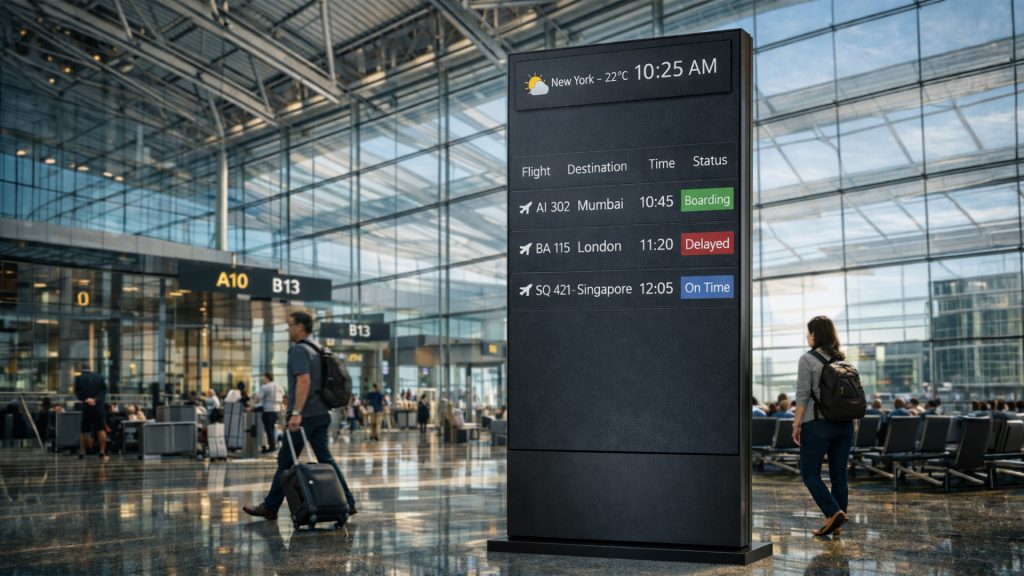
In this article, we will discuss exactly this. By the end, whether you manage a whole network or are simply curious, you’ll understand the moving parts, the people, and the tech behind every perfectly timed digital signage.
What is Digital Signage?
Digital Signage simply means using LCD, LED, or projector displays to deliver multimedia content such as videos, images, text, and audio to your audience. Digital Signs are commonly used for advertising, communication, and information sharing. It allows you to update your content from anywhere, at any time, using its software.
Core Components of a Digital Signage are:-
- Hardware: The screen (LCD, LED, Projector)
- Software: CMS that allows you to create and schedule content on your screen
- Content: The actual media displayed (Image, Video, Text, Audio)
- Network Infrastructure: Wi-Fi, wired, or cellular
- Playback device: Media player or system-on-chip screen
Each Component has to work properly for the smooth functioning. If any component fails, the screen might freeze, go blank, or, worse, display something else.
How to create the content: What to keep in mind
Digital signage is always treated like a high-tech picture frame. But if used effectively, it is a great tool for strategic communication. Content for digital signage must be designed for short attention spans, environmental context, and specific viewer actions.
Hierarchy of Digital Signage Content
Although aesthetics matter, they are just the baseline. Impact is built through these three specific layers:
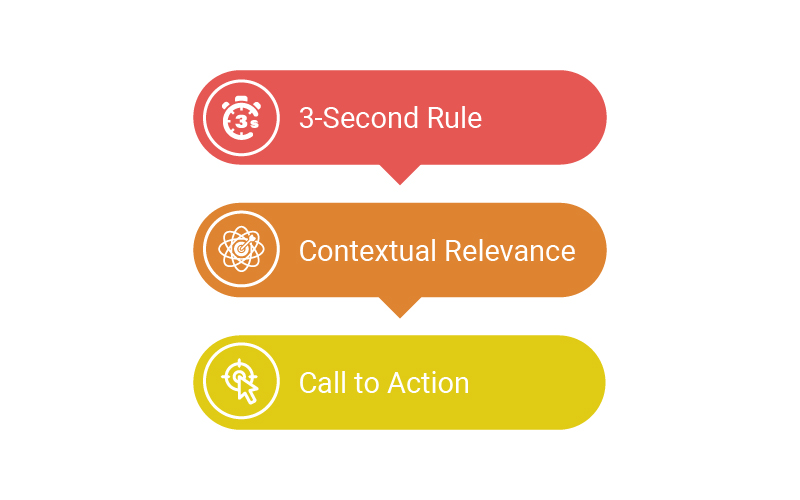
The 3- second rule(Clarity):
If a viewer cannot grasp the core message of your digital signage within 3 seconds, your content has failed. To avoid this failure, try:
- Each slide should have only one focal point.
- Use high-contrast fonts, like sans-serif, for readability from a distance.
- Use size and color to dictate exactly where your audience’s eyes should land.
Contextual Relevance (Utility):
A beautiful image of a beach or a desert is” pretty”, but a real-time weather feed or a live countdown for a product launch is useful.
- Use RSS feeds, social media walls, or live KPI dashboards to keep your screens looking” alive.”
- Design your content according to the time of day. For example, a restaurant should show the breakfast menu at 8:00 AM, not at 8:00 PM.
- Match your content length to how long people will stand in front of your screen. For example, 15-second loops if your screen is in front of an elevator, and 2-minute loops if your screen is placed in a waiting room
Call to Action (Conversion):
Digital signage doesn’t direct your audience to the next step; it’s just wallpaper.
- Use QR Codes to bridge the gap between your screens and your audience. Keep them large at eye level.
- Use phrases like “Today only, Flash sale” to trigger an immediate engagement.
- Use the screen to move people physically, eg, “Visit Booth 202 for a ‘demo”)
Technical Strategies for Engagement
| Human eyes are evolutionarily designed not to see movement. | Why does it work? | Best Practice |
| Motion Graphics | Human eyes aevolutionarily designed o not to see movement. | Use subtle transactions; avoid chaotic “flying” text that is hard to track. |
| Video vs Stills | Videos have a 400% higher engagement rate than a static image. | Human eyes are evolutionarily designed not to see movement. |
| Keep videos silent-ready, as most of the signage environments are too noisy for a”dio. | Use subtle transactions; avoid chaotic “flying” text that is hard to track. | N”gative Space |
Avoid” Screen Fatigue”
The best content can also become invisible if it never changes. To avoid that and maintain effectiveness:
- Rotate Creati”e: R”fresh your “hero” visuals at least once a week
- Interactivity: If the hardware allows, use them to convert your passive viewers into active participants
- Standardization: Maintain a consistent brand palette so the viewer knows even before reading who is speaking to them.
Signage’s Digital Signage’s Control Tower
A Content Management System (CMS) is the software that stores, schedules, and delivers content to each screen platforms like Disploy are a good example. Disploy is a cloud-based, subscription-driven CMS that simplifies digital signage management, offering easy access, seamless content control, and minimal IT overhead for businesses of all sizes.
Key features of Disploy:
- Drag and drop your playlist creation
- Schedule which content should be shown when
- Update your content in real-time
- Use Canva, YouTube, and many more integrated apps to enhance your content
- Handle many screens from a single app
“A 2022 study by AVIXA found that 71% of network managers rank ease of scheduling as their to” CMS requirement”.
Choose what type of screen you need?
You need to understand that not all screens work the same. A grocery-store freezer door needs different specs than a lobby video wall.
LCD vs. LED
- LCD (Liquid Crystal Display): Small, indoor, inexpensive, not so bright (500700 nits)
- Direct-view LED: Large surface modular tiles, up to 10,000 nits, best used outdoors.
Specialty Displays
- High-brightness sunlight-readable kiosks
- Museum exhibition of OLED.
- Power-sipping transit schedules on e-paper.
Mounting and Power Considerations
- VESA mount compatibility
- Adequate ventilation: Keep panel temps below 35 °C to prolong life
- Battery backup and surge protection of critical places.
Real-World Applications
Digital Signage in Retail for In-Store promotions
Quickstop, a chain of regional convenience stores, replaced 300 forecourt menu boards with digital menu boards. Result:
- 22% increase in beverage sales.
- Internal finance reports have a payback of 11 months.
Digital Signage in Corporate: Meeting Room Dashboards
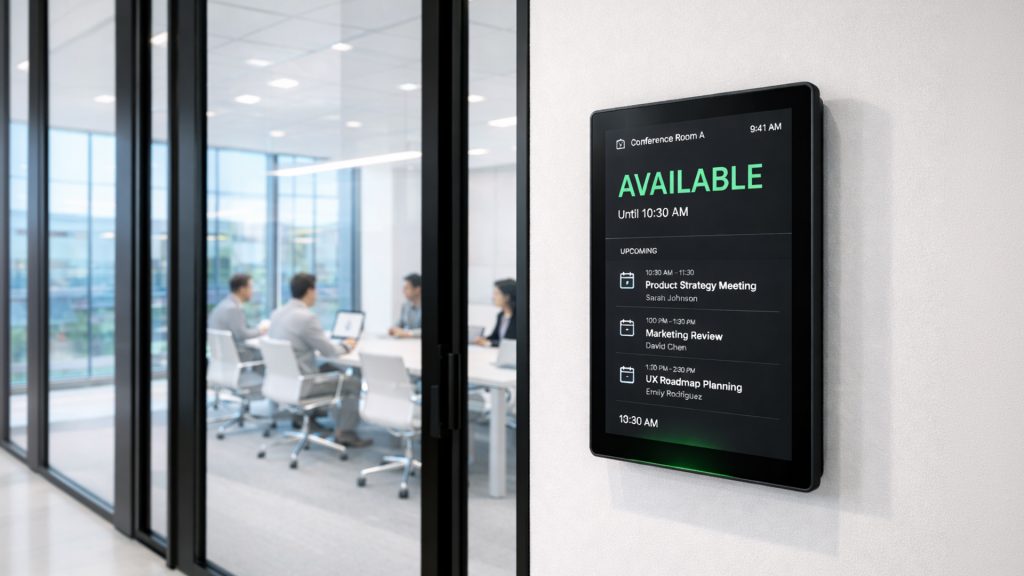
B-Logic, a global consulting company, fitted 150 screens (tablet-sized) outside of the conference rooms in its London HQ, which uses Office 365 to provide live information on bookings. The time employees spend searching for free rooms has been reduced by 40% (in-house survey, 2023).
Digital Signage in Transportation for Live Updates.
Transport for Helsinki is using e-paper screens at bus stops powered by solar panels to reduce energy consumption to almost zero, yet the schedules are updated every minute.
Measuring Success and Continuous Optimization
Digital Signage is not a set-and-forget project. You have to regularly update its content to grow your business.
Key Performance Indicators (KPIs)
- Specific campaign-related sales boost.
- Dwell time calculated through anonymous video analytics.
- Percentage of screens that have not gone dead (target 99.5 % or more)
- Freshness of content: proportion of recently updated content to the entire library.
Feedback Loops
- Run A/B creative tests – change color palette or calls to action.
- Include customer surveys through QR codes on the screen.
- Conduct content audits quarterly to dispose of old media.
Conclusion
Digital Signage has evolved far beyond simply hanging aa a TV on a wall. It is an advanced ecosystem where hardware, software, and strategy are combined to turn passive onlookers into engaged customers. By mastering the 3-second rule, increasing contextual relevance, and utilizing a powerful CMS, you can transform any space into a communication hub.
Whether you are trying to increase your sales in retail outlets such as QuickStop or make corporate operations such as B-Logic easier, the key is to have a system that is adaptable, trustworthy, and, most importantly, easy to run. It is not only about how bright your screen is; it is about giving the right message at the right time, when your audience doesn’t want to see it.
Don’t leave your screens dark or old-fashioned. Take complete ownership of your visual communication with a platform designed to be simple and scalable. Try the Free Trial. 14 days of Disploy are available, and you can find out how simple it is to create, schedule, and manage your content in real time.