
Today, the schools are not as they were a decade ago. Classrooms are now digital, hallways are now smarter, and the way schools communicate with students, parents, and staff has completely changed. One of the most significant changes? Education digital signage. Screens located throughout the school grounds that display important information, announcements, schedules, and more in real time. To get your school digital signage ready and bring your school into the future, we have compiled 20 of the best school digital signage ideas that you can begin to implement in 2026-27.
The reasons why schools are adopting digital signage
We should first know why so many schools are switching to digital signage rather than printed posters and announcements.
- Instant updates: Edit anything on the display within seconds, no printouts necessary.
- Saves time: Staff can schedule content from anywhere.
- Eye-catching: Moving boards are much more attractive than stationary ones.
- Eco-friendly: Minimal paper waste, more environmentally friendly.
20 Best School Digital Signage Examples 2026-27
The following are real-life examples of what schools around the world are applying, and you can apply them as well.
1. Digital welcome boards
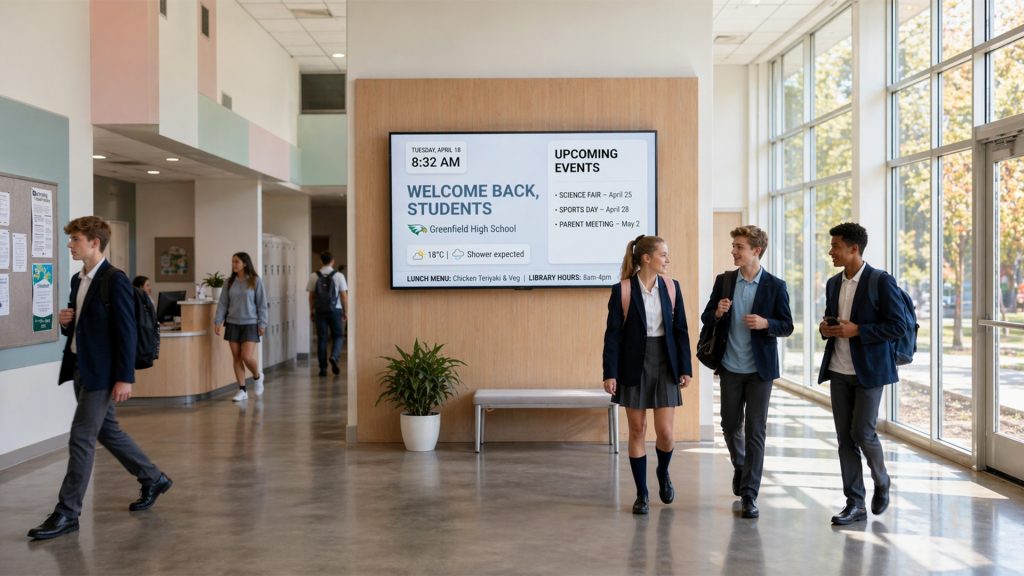
There are large screens at the school entrance that display the school’s name, logo, and daily messages to welcome students and visitors. It creates the appropriate atmosphere as one enters.
2. Daily announcement screens
Instead of the morning PA system, use scrolling screens in the halls to display the day’s announcements: upcoming tests, events, and other important notices.
3. Cafeteria menu displays
The cafeteria has digital menu boards that display daily meal options, nutritional content, and allergen warnings in a straightforward, visual manner. Students are aware of what to expect before reaching the counter.
4. Emergency alert screens
All screens on campus can immediately display the correct instructions in the event of a fire drill, lockdown, or weather emergency, helping keep students and staff safe.
5. Sports scoreboard & updates
There are screens in the gyms or hallways that display live scores, team standings, and upcoming match schedules, keeping school spirit high during the season.
6. Student achievement walls
Publicly recognize the achievements of students! Post honor roll lists, art projects, or science fair winners on computer screens. It encourages students and makes families proud.
7. Event countdown timers
Planning a big bash? Prom coming up, graduation, science fair? A live countdown timer displayed on the screens builds anticipation and ensures everyone is engaged.
8. Library & resource displays
There are digital signs outside the library that display the latest book arrivals, reading suggestions, library hours, and silent zone notifications, inviting more students to visit.
9. Wayfinding & campus maps
Large campuses may be confusing for new students, parents, and visitors. Interactive or static wayfinding screens help all individuals find their way in and around buildings, offices, and rooms without struggle.
10. Classroom schedule boards
The current class name, the teacher’s name, and the next session are shown on the screens outside each classroom. This removes confusion when there is a change in the rooms or the schedule.
11. Health & wellness tips
Switch mental health alerts, hydration information, and wellness messages on screens around restrooms or corridors. Even a single approach will have a huge impact on student well-being.
12. Social media walls
Posts from the school’s official Instagram, Facebook, or Twitter accounts are to be displayed in the common area. It maintains a network of students and glorifies school life.
13. Parent communication screens
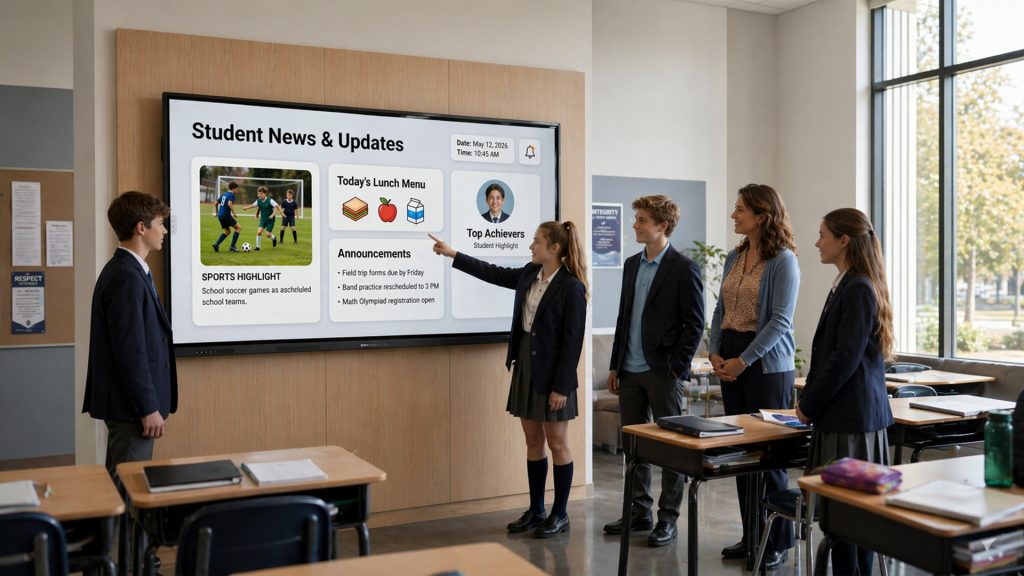
Changes in pickup times, parent-teacher meeting details, and school policy reminders are displayed on digital signage in reception areas for parents and guardians, reducing phone calls to the office.
14. College and career corner
In high schools, digital signage displaying college deadlines, scholarships, and job opportunities keeps students updated without the need for regular email reminders.
15. Teacher of the month in the limelight
Publicly recognize faculty members by rotating on hallway screens. It also enhances staff morale and acknowledges to students and staff that excellence is observed and appreciated.
16. Real-time weather displays
Display real-time weather conditions near school entrances so students know whether to bring an umbrella. Useful and surprisingly trendy!
17. Interactive quiz screens
Waiting time is made more engaging by displaying fun facts or curriculum-based questions on screens in common areas. Students can respond via QR codes and receive results in real time.
18. Bus & transport updates
Live bus route updates or arrival notifications displayed on digital signage by the primary exit help plan pickups for students and their parents, reducing wait times and avoiding misunderstandings.
19. Club & activity promotions
Extra clubs also struggle to attract members. An interactive scroll on computer screens promoting the drama club, robotics team, or debate society dramatically increases sign-ups.
20. Graduation & milestone moments
At year-end, post-graduate photos, memorable moments, and congratulatory messages on digital signage across campus will make the milestone special.
How to get started with education digital signage
The positive thing is that establishing digital education signage does not require complexity or high costs. The following is a basic procedure that most schools use:
1. Pick your locations
Begin with busy spots, entrances, corridors around the cafeteria, and at the main reception. These are the spots that attract the most eyes and deliver the highest value in the shortest time.
2. Select the optimal screen size
A 43-55-inch screen is satisfactory for hallways. In reception areas or cafeterias, the larger the content (65+ inches), the easier it is to read at a distance.
3. Have a trusted digital signage solution
This is the most crucial step. A great platform will allow you to build slides, plan content, and control all your screens from a single location, regardless of your tech skills. This is what Disploy is constructed to do.
4. Schedule your content
Rearrange content to keep screens new. A simple schedule: Morning announcements in the first half of the day, lunch menus at midday, and event reminders in the afternoon suits most schools.
Conclusion
Educational digital signage is no longer a luxury; it is a new feature of communication in modern schools. You can use digital signage, whether you are in a small primary school or a big university campus, with an option that suits your budget and objectives. The above 20 examples are only the beginning. The possibilities are limitless with the appropriate tool.
Schools using digital signage claim that they have improved student participation, reduced misunderstandings, and created a unified campus community. Whether to use digital signage is no longer a question but a starting point.
Disploy makes it easy for any school, big or small, to set up beautiful, professional digital signage in minutes. Try your free trial of Disploy today to spot the difference.