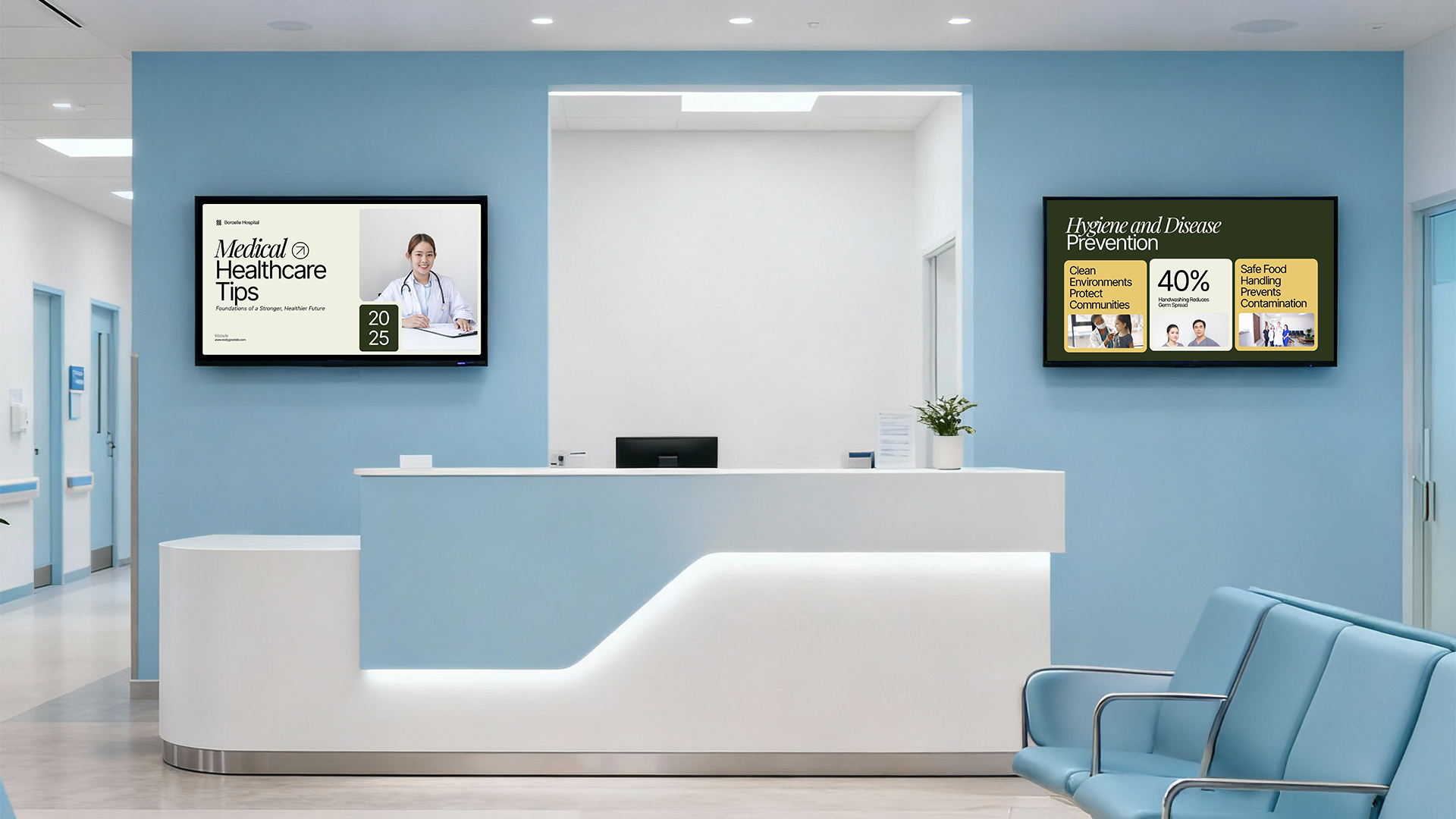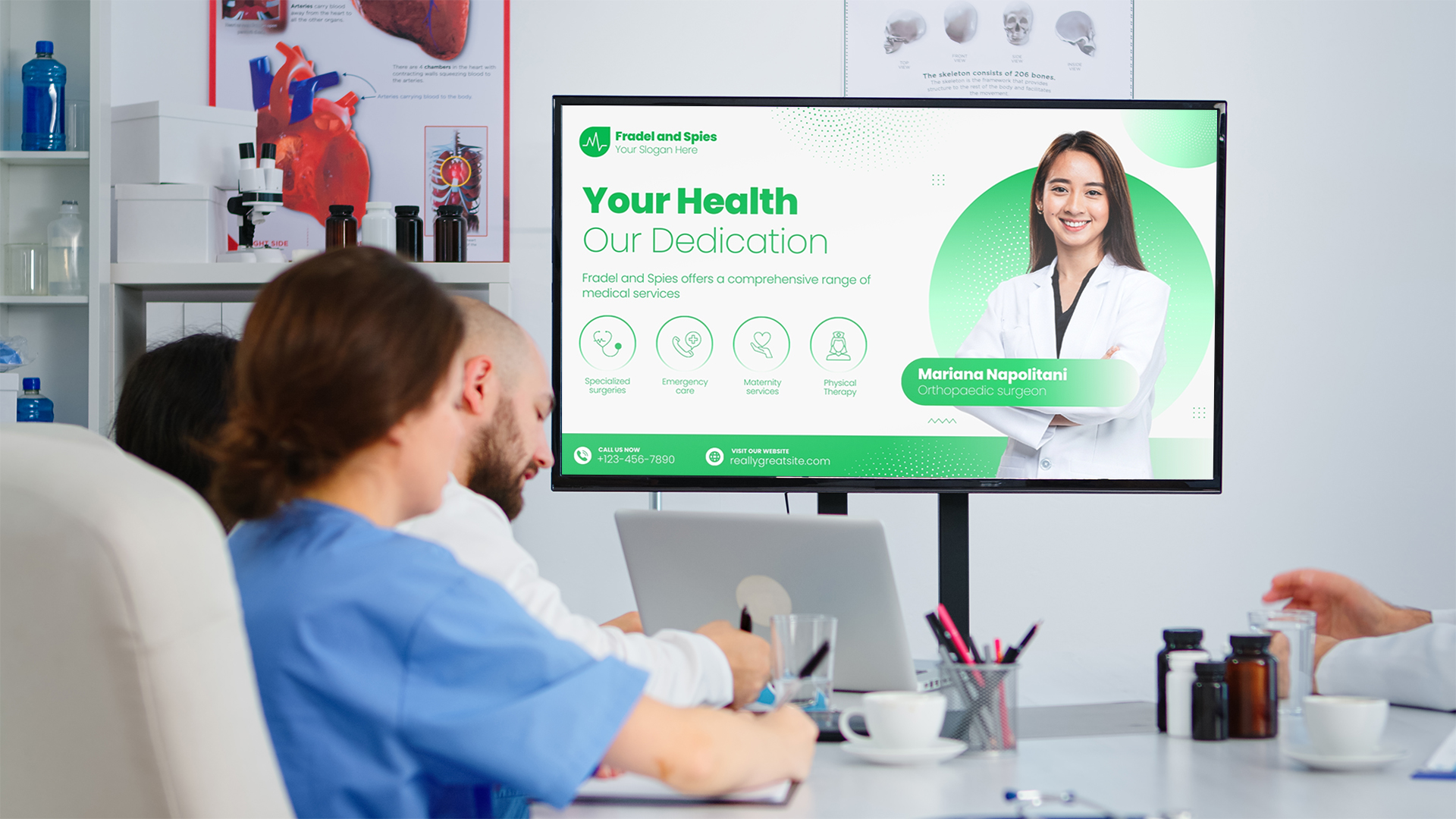
Take a stroll through any hospital or clinic, and you will see one thing that was not present 10 years ago: screens. Lots of them. Some provide queue numbers, others provide health tips, and others flash urgent alerts during emergencies. Digital signage use cases in healthcare are now much more than just a flat-screen TV mounted on a wall in a waiting room. Healthcare digital signage is now a comprehensive communication solution that connects with almost every aspect of a medical facility or hospital.
Whether it's guiding patients to the right department or empowering healthcare staff with real-time alerts, digital signage has proven to be an unobtrusive yet powerful tool in the healthcare industry. Wherever it is effective, patients feel calmer, staff are more efficient, and facilities run more smoothly.
This blog post explores the main applications of digital signage in healthcare, ranging from the most frequent use in waiting rooms to life-saving emergency alerts. From the hospital administrator to the healthcare IT expert and anyone interested in the impact of technology on Patient care: this guide has something for everyone.
What Is Healthcare Digital Signage?
Healthcare digital signage is the use of digital screens (LCD, LED, touch screen, and video wall) in healthcare facilities, such as hospitals, clinics, outpatient facilities, urgent care centers, nursing homes, and other healthcare settings.
Healthcare digital signage systems are different from a corner TV broadcasting cable news, as they are managed by software platforms that enable the administrator to:
-
Display text content simultaneously on multiple screens.
-
Create various messages at various times of the day
-
Show live information, such as wait time and queue count.
-
Rapidly broadcast emergency messaging across the entire facility.
-
Edit articles by department or patient population
These systems are usually linked to a central content management system (CMS) that can be cloud-based or on-site. Some systems also connect to other systems, such as electronic health records (EHRs), patient management systems, and building alarm systems, to provide highly relevant content on the fly.
Healthcare Digital Signage differs from retail or hospitality signage due to the sensitivity of the environment. Patients may be anxious, in pain, or confused. Staff are busy and require information to be readily available. Patient information is sensitive information that must be managed with care, as mandated by regulations such as HIPAA in the United States. The health care digital signage should be informative, private, urgent, calm, attractive, and clear.
Waiting Room Digital Signage: Making Wait Times Feel Shorter
The waiting room is perhaps the room in a health care facility where digital signage has had the most visible impact. No one likes to wait, particularly if they're concerned with their health. Studies over the years have consistently shown that people perceive time as passing more quickly when they have something to focus on.
What Waiting Room Screens Can Display
-
Queue management information: Patients can see their number or name appear on the screen, reducing anxiety about how close they are to being called.
-
Estimated wait times: Even a rough estimate, "Current wait time: approximately 25 minutes," helps patients plan and feel less in the dark.
-
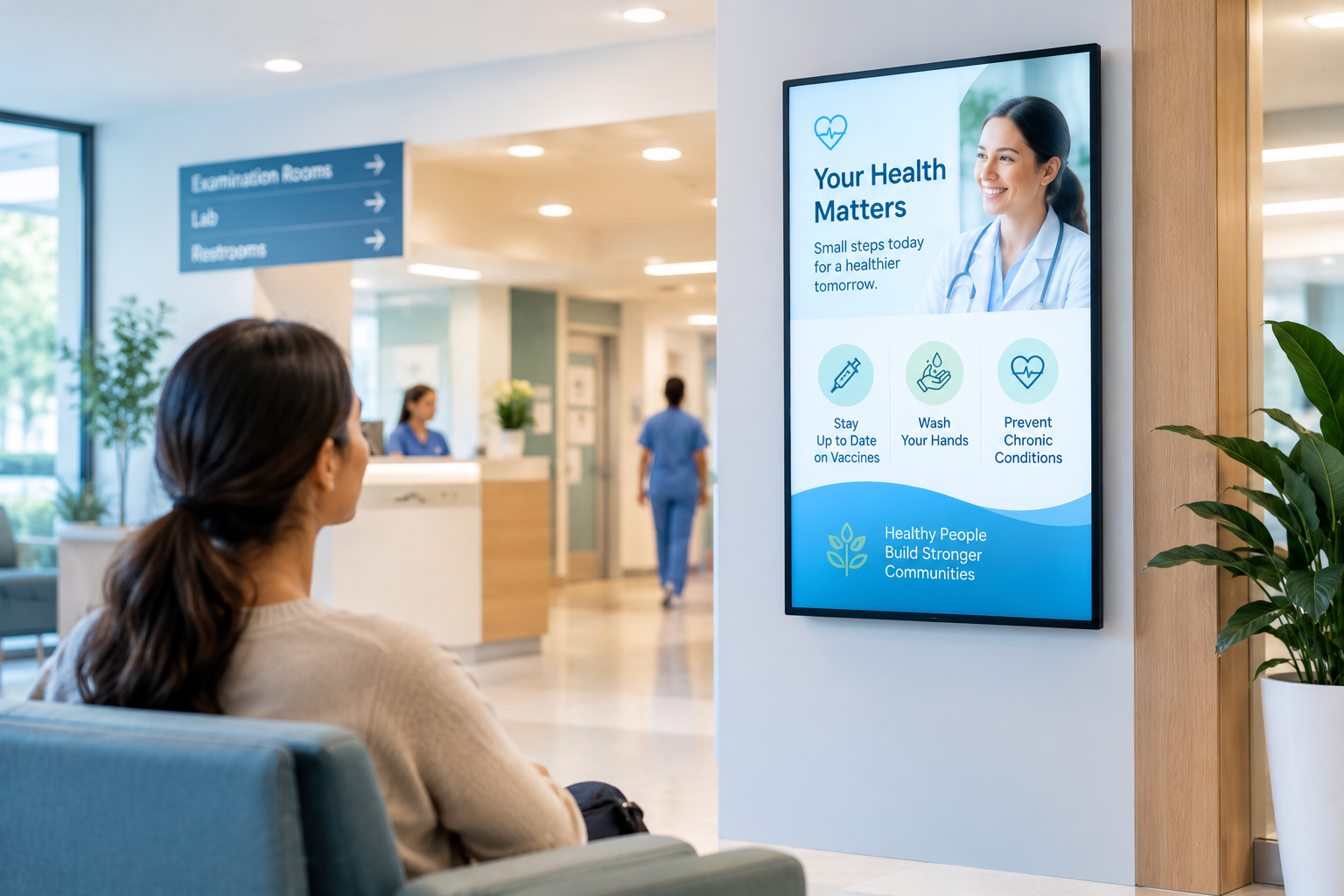
Health education content, such as short videos or infographic slides on managing blood pressure, the importance of flu shots, or how to perform a breast self-exam, gives patients something useful to engage with.
-
Local news and entertainment: A light touch of news or calming nature videos can make the time pass more comfortably.
-
Hospital services information: Patients waiting for a single appointment may not be aware of other services offered at the facility, such as physiotherapy, nutrition counseling, or telehealth options.
-
Visitor policies and FAQs: Instead of having staff answer the same questions repeatedly, screens can answer common questions about parking, visiting hours, and payment options.
The Business Case for Waiting Room Signage
From a management perspective, the waiting room digital signage helps relieve the front desk staff, who spend dozens of hours each day answering the same questions. It can also serve to inform patients, which may encourage them to schedule a follow-up or request additional information.
Patient Check-In and Wayfinding Displays
The vast hospitals can be quite confusing and tangible in reality. It's easy to feel lost in a hospital environment, with multiple buildings, dozens of departments, and numbered corridors that seem to lead nowhere, particularly if you're already feeling unwell or stressed.
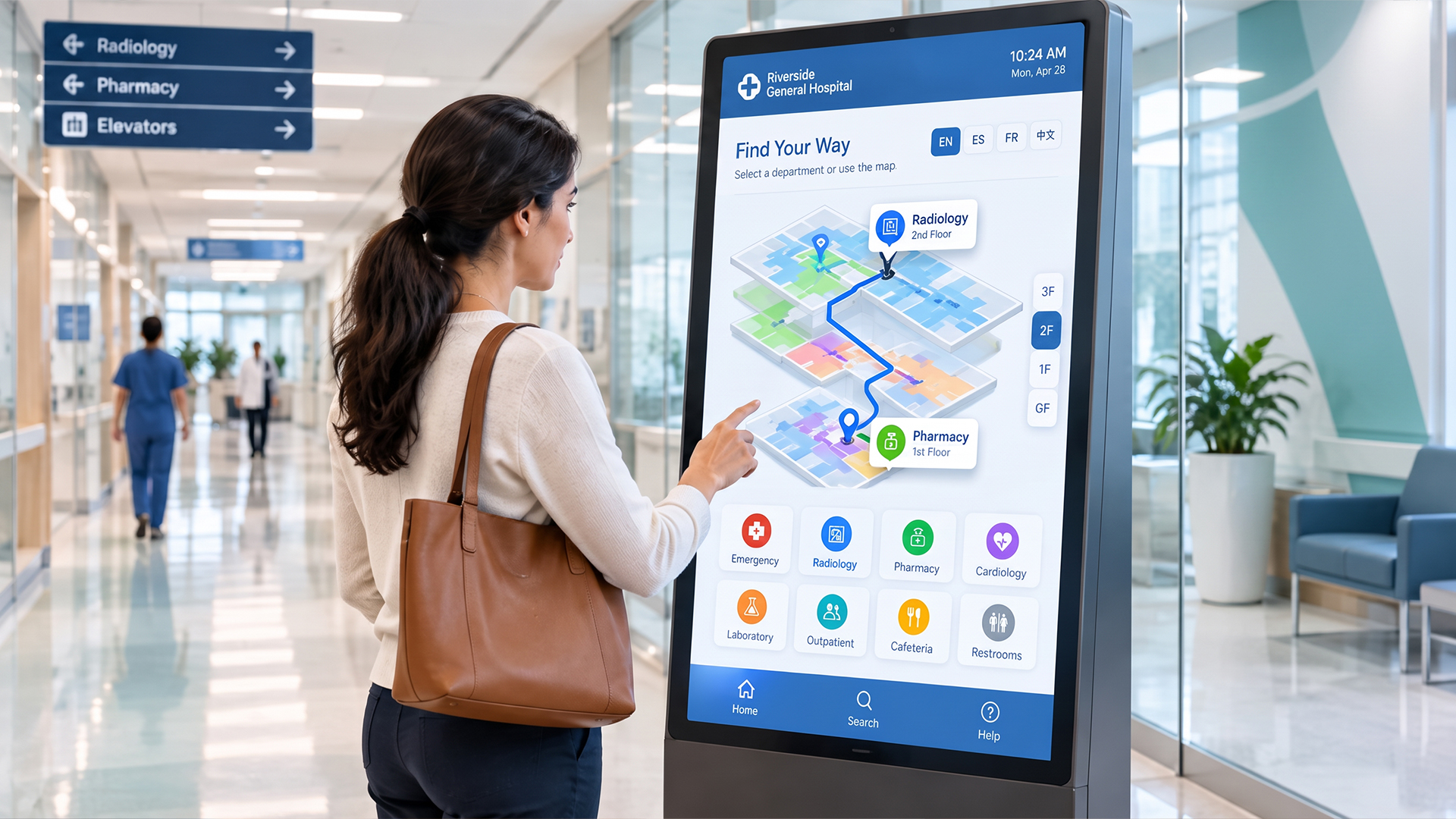
Interactive Wayfinding Kiosks
Wayfinding kiosks found at the entrances and key junctions in the hospital help patients and visitors to:
-
Use name search to find a department, doctor, or service.
-
Follow walking directions step by step using maps.
-
Know how to get to a parking lot, a pharmacy, or the nearest restroom.
-
Change languages if someone's first language is not English
These kiosks can be incorporated into the hospital floor plan and even be dynamically changed if a department moves or an area is closed for maintenance or infection control.
Self-Check-In Screens
In addition to wayfinding, wayfinding kiosks and screens are also widely installed in hospitals and clinics for self-check-in. A patient walks in and logs in using a screen to type in their name or read their identification, verifies the appointment, enters insurance or contact information, and is immediately placed on the waiting list. This:
-
Takes care of lines at the front desk
-
Accelerates the consumption of items and substances.
-
Provides staff with the opportunity to concentrate on patients who require personal assistance
-
Minimizes data entry mistakes from manual check-in procedures
These kiosks can be customized for seniors and individuals who are not as technologically inclined, with large displays, easy-to-navigate menus, and a button to request help.
Digital Signage in Emergency Departments
Emergency departments (EDs) are among the most stressful environments in any health care facility. Patients may be in distress, families may be worried, and staff may be handling several critical situations. The use of digital signage in EDs serves several key functions.
Managing Patient Flow and Reducing Perceived Wait Times
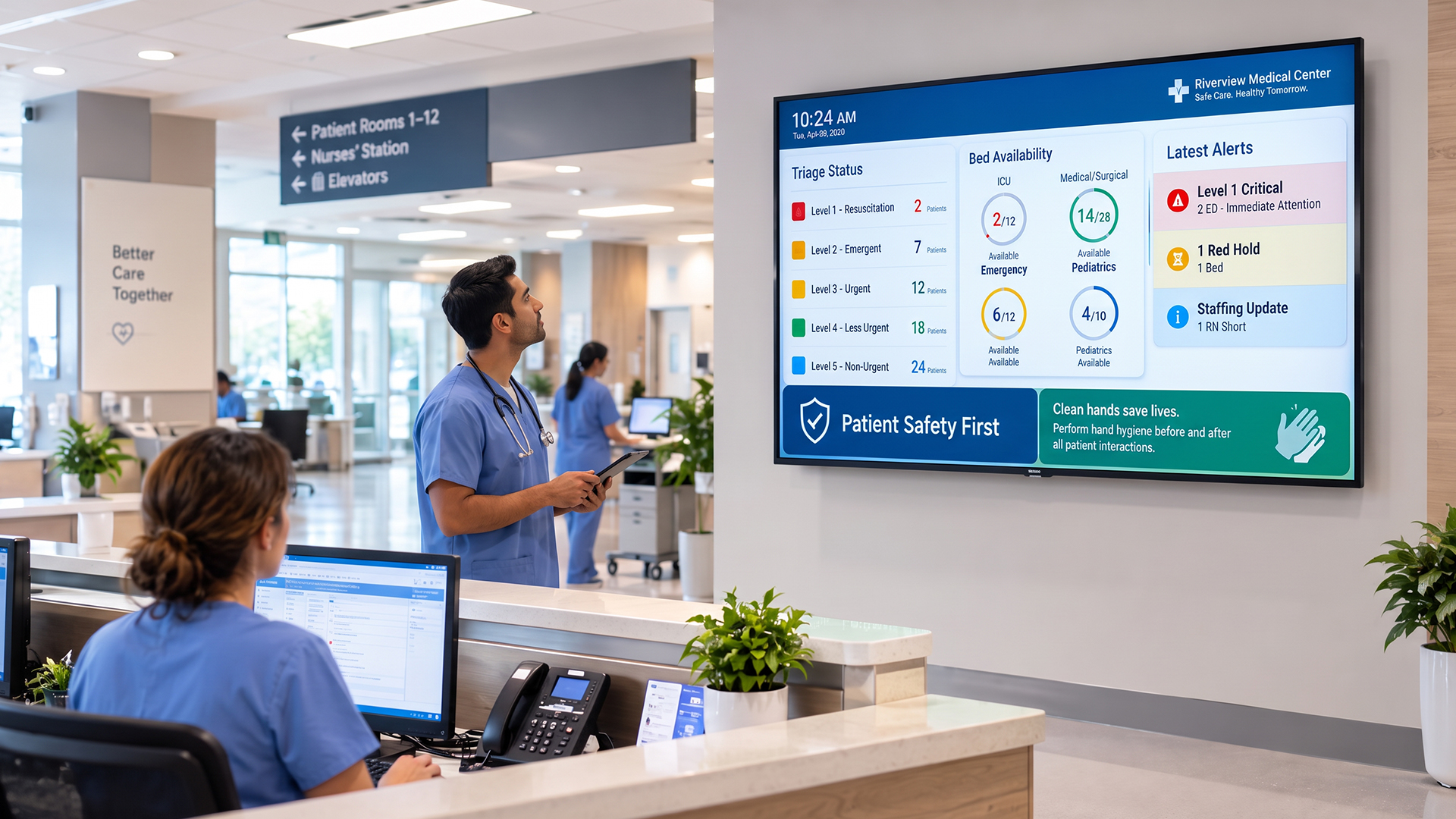
A very common problem in EDs is overcrowding. Patients are informed of their position in the queue, their triage stage, and how long they will have to wait via digital screens. Anxiety levels decrease when patients feel they are being tracked and they believe that there is a reason for it.
Some EDs have a triage queue system in which patients are sorted into different severity levels, and the screens do not display potentially sensitive health information. Everyone you meet or a reference number will be on the screen when it is time for them to move to the next stage.
Staff Coordination Boards
In the ED, the Internal screen (which staff can see, but patients cannot) may display:
-
The number of patients in each area (current patient census)
-
Bed availability
-
While awaiting lab results or imaging orders.
-
Assignments and transfer of staff.
-
Memorized protocols for particular circumstances
This type of real-time operational data enables charge nurses and ED coordinators to monitor patient flow without relying on phone calls or paper records.
Family Communication Screens
For patients in surgery or under evaluation, family members in designated areas will receive status updates on screens, so staff do not have to walk out repeatedly. A color-coded or labeled system ("In Surgery", "Recovery", "Awaiting Doctor") ensures families are kept informed and minimizes the number of questions asked at the nurse's station.
Emergency Alert Systems Using Digital Signage
Urgent notification is one of the most important and underutilized digital signage applications in healthcare. However, in a large hospital with dozens of buildings, hundreds of staff members, and thousands of patients and visitors every day, delivering the right message to the right people in a timely manner can mean the difference between order and chaos and, in some instances, life and death.
Types of Emergencies That Digital Signage Can Address
-
Fire and evacuation alerts: When a fire alarm triggers, connected digital signage systems can instantly override all content on every screen and display evacuation routes, exits, and instructions.
-
Code alerts (e.g., Code Blue, Code Red): Hospital codes for cardiac arrest, fire, active shooter, missing patient, or hazardous material spills can be pushed to all screens instantly, with location-specific information.
-
Severe weather warnings, such as tornadoes, hurricanes, or other weather-related alerts, can be displayed facility-wide to guide staff and patients to safe areas.
-
Active threat or lockdown situations: In the event of a security threat, screens can display lockdown instructions and guide people away from danger.
-
Power or utility failures: Quick notifications about backup power status or elevator outages help prevent confusion and panic.
-
Pandemic or outbreak protocols: As demonstrated during COVID-19, hospitals needed to rapidly communicate changing protocols, masking rules, visitor restrictions, and testing locations to both staff and the public.
How Emergency Alert Integration Works
Healthcare digital signage platforms can be integrated with:
-
Hospital alarm and notification systems.
-
Local emergency management systems, like FEMA's Integrated Public Alert and Warning System in the USA.
-
Nurse call systems
-
Public Address (PA) Systems
Once an alarm is activated (either automatically by a sensor or by an authorized person), the signage system may send a pre-designed, pre-approved emergency message to all screens or to selected zones within seconds. Some systems can also produce audio alerts synchronized with the visual alert.
Digital Signage for Staff Communication
Medical staff members tend to be on the go. Nurses, physicians, technicians, and support staff are constantly moving from room to room, floor to floor, building to building. It is a reality of the job that it is difficult to provide them with much information in a timely manner without using email, which may not be checked often while on shift.
What Staff-Facing Screens Display
-
New and revised policies and procedures, such as infection control, medication guidelines, or regulatory reminders, can be displayed in staff break rooms, nurses' stations, and staff corridors.
-
Handover notes: When working with patients, remind them of key care issues; when working in a department, let them know about any changes or updates.
-
Training and certification reminders: Screens can remind staff of upcoming training sessions, certifications that need renewal, or mandatory training modules.
-
Staff stays engaged and informed with HR and administrative notices, including scheduling changes, cafeteria specials, employee recognition, and wellness program information.
-
Performance dashboards: Some departments include patient satisfaction, hand hygiene compliance, and other quality metrics on dashboards to encourage employees and hold them accountable.
Staff Wellness Messaging
Healthcare is a major industry facing burnout. Digital signage can be used in the following ways to help staff mental health:
-
Reminders of being ‘mindful' and breathing exercises.
-
Information about employee assistance programs (EAPs)
-
Awards and/or positive feedback messages from patients
-
Events that promote wellness, like yoga or mental health awareness sessions.
Patient Education and Health Awareness Displays
Patient education is one of the most valuable yet underutilized forms of digital signage in medical care. Hospitals and clinics are a particularly important time for communicating health information to individuals because they are focused on their health.
What Patient Education Screens Can Cover
-
Chronic disease management: Information on managing diabetes, heart disease, COPD, or hypertension through diet, exercise, and medication adherence.
-
Preventive care reminders: Messages about flu shots, mammograms, colonoscopies, blood pressure checks, and other screenings appropriate for different age groups.
-
Post-procedure care: What to expect after a procedure, what symptoms warrant a call to the doctor, and how to care for a wound or incision.
-
Medication guidance: General information about how certain classes of medications work and the importance of completing a full course.
-
Mental health awareness: Reducing stigma around depression, anxiety, or addiction by displaying information about support resources.
-
Healthy lifestyle tips: Nutrition, exercise, sleep hygiene, and stress management tips tailored to the patient population visiting that department.
Making Content Accessible
Good patient information on digital signage should:
-
Avoid medical jargon, use plain language
-
Use visuals or animation to help with understanding
-
Have multiple languages available if there are multiple language-speaking patients
-
Use appropriate font sizes and contrast ratios for readability by older patients
Pharmacy and Discharge Information Screens
Two locations that can lead to information overload and confusion for patients are the pharmacy and discharge areas. In these places, digital signage can make a difference to the meaning.
In the Pharmacy
-
Pharmacy queue screens: Like waiting room displays, they show patients how long they must wait for their prescription.
-
Simple messages like "Your prescription will be ready in about 15 minutes" can have a dramatic effect on the patient experience, as these wait-time estimates are easy to convey.
-
Medication information: General information on storing, avoiding drug interactions, or appropriately disposing of unused medications.
-
Remind patients to refill and encourage them to use telehealth services.
At the Discharge Desk
“Discharge” is a critical point when patients leave the hospital and need clear instructions on what to do afterward. Near discharge areas, screens can:
-
Show a list of things people should do before they leave (pick up prescriptions, make appointments, etc.).
-
Demonstrate video clips of individual post-discharge interventions for typical procedures
-
Give details on patient transport or parking validation
-
Remind patients to schedule follow-up appointments and to use the patient portal.
Digital Menu Boards in Hospital Cafeterias
Like fast food outlets and restaurants, hospitals and food courts are starting to use digital menu boards, but in the healthcare environment, they can do more.
Beyond Just Showing the Menu
-
Nutrition information, such as calorie counts, allergen information, and nutritional breakdowns, helps patients, staff, and visitors make informed decisions.
-
Recommendations: Identifying healthy heart foods, diabetic foods, or foods that correspond to certain dietary requirements.
-
The specials and rotating menus can be easily updated without printing new menus, saving money and minimizing waste.
-
Lifestyle messages: To encourage new healthy options among staff, or a hospital wellness challenge.
For those with particular dietary requirements ordering food from their rooms, similar screen content to that shown on the patient room entertainment systems is also available on these.
Digital Signage in Operating Rooms and ICUs
In operating rooms and intensive care units, digital signage assumes more of a medical function, but patient-facing displays are not suitable in these areas. Rather, screens are used to aid the clinical team.
Operating Room Displays
-
Surgical checklists and protocols: Screens can display pre-surgical checklists to ensure all measures are taken before a procedure starts.
-
Procedure-specific information: Surgeons and nurses can access a reference tool, procedure diagrams, or procedure information on a large sterilizable display.
-
Monitoring dashboards: Important signs and equipment status can be displayed on a single panel visible to all members of the surgical team.
-
Time tracking: Milestone timestamps, durations, and procedure start times keep the surgical team on schedule.
ICU Communication and Monitoring
In ICUs, a central screen, located outside the rooms or at the nurses' station, can display:
-
Patient status summaries (excluding patient identifiers)
-
Alarm management displays combine alerts from multiple patient rooms
-
Sepsis protocols, ventilator care protocols, or pressure injury prevention protocols
Infection Control and Safety Messaging
During the COVID-19 pandemic, it became a widely discussed topic, and hospitals with existing digital signage systems were able to pivot in no time. Infection control messaging is not just needed during pandemics; it is needed year-round in healthcare.
How Digital Signage Supports Infection Control
-
Hand hygiene reminders: Easy animation reminders with proper hand-washing technique placed near doorways, restrooms, and patient care areas.
-
PPE guidance: Advice on the use of PPE, particularly for visitors and volunteers who may not be trained.
-
Respiratory etiquette: Reminders to cover coughs and sneezes, use a tissue, and discard it.
-
Visitor restrictions: Live monitoring of visitors, which may change quickly during outbreaks.
-
Signage and directions outside rooms to direct visitors and staff to isolation rooms.
The ability to provide updates to these messages centrally and instantly across dozens or hundreds of screens is one of the main benefits of digital signage over printed posters, which can quickly become outdated and require in-person replacement.
Pediatric and Mental Health Units
There are many different patient groups, and digital signage should be tailored to meet their needs.
Pediatric Units
Digital signage becomes more friendly and colorful in a children's hospital or pediatric ward:
-
Shows like cartoons (age-appropriate), nature programs, and interactive games are good sources of entertainment and can help reduce anxiety in young patients.
-
Education for families: information about a child's condition, written in family-friendly language in waiting or family areas.
-
Wayfinding that is child-friendly: Maps and directions that are designed using familiar characters and/or bright colors to minimize intimidation.
-
Recognition boards: When patient milestones, such as a child completing chemotherapy, are celebrated on a public recognition board, it creates a moment of joy and community.
Mental Health and Behavioral Health Units
A digital signage solution for mental health environments should be used with great care:
-
Calming imagery: Nature scenes, abstract art, or soft animations on screens can help to establish a therapeutic environment.
-
Mental health resources: Discreet and non-stigmatizing information on support groups, therapy options, and crisis lines.
-
Activity boards/scheduling: Providing an overview of what will happen on a particular day and what activities will be available to the patient helps orient and engage the patient.
-
Special attention to privacy concerns: All screens in mental health units must be carefully configured to prevent the display of any identifying patient information in public spaces.
How to Choose the Right Digital Signage System for Healthcare
When deciding on the right digital signage system, there are many use cases to consider in the healthcare industry. Here are the main elements to consider:
1. Integration Capabilities
Will the system work with your current EHR, queue management system, alarm system, and building management software? A smart, dynamic digital signage system is different from a glorified TV, and that difference lies in its integration.
2. HIPAA Compliance
Any system that displays patient-related information, even a name on a queue screen, needs to be designed with HIPAA in mind. Seek out vendors that are aware of healthcare privacy laws and have the necessary security measures in place.
3. Centralized Content Management
Dozens of screens across multiple buildings at a hospital require a CMS that simplifies managing all screens from a central location without compromising department-level customization.
4. Emergency Alert Capability
In healthcare settings, there simply can't be any delay or uncertainty when sending out alerts. Request that vendors explain their emergency override capabilities and whether they are integrated with your existing alarm system.
5. Ease of Use
Clinical and administrative personnel are not graphic designers. The system should be user-friendly for creating and modifying content, so authorized users can do so without requiring technical expertise.
6. Reliability and Uptime
Blank or frozen screens reflect poorly on the facility and can be confusing. Seek systems that are reliable, have a sound vendor support system, and offer remote screen status monitoring.
7. Scalability
Your facility's needs will increase. Select a system that will expand from a few screens to hundreds without a complete system change.
Key Challenges and How to Overcome Them
Even with all its benefits, implementing healthcare digital signage comes with challenges. Let's take a glance at the most prevalent ones and how to deal with them:
Challenge 1: Content Becoming Stale
The problem: Outdated screens are not only ineffective, but they can also mislead patients and staff.
The solution: Give ownership of the content to certain team members in each department. Automatically expire time-sensitive content. Conduct regular content audits.
Challenge 2: Staff Resistance to New Technology
The problem: Overworked clinical staff may not be open to yet another app or technology to manage.
The solution: Use cases with high impact, low effort, such as waiting-room queue displays and emergency alerts. Start by showing how they value from the beginning, and get staff involved in the production.
Challenge 3: Connectivity and IT Infrastructure
The problem: Networking to run screens across a large hospital campus is a key requirement, but some older facilities may lack the infrastructure to support it.
The solution: “Collaborate with your IT department through the planning process.” Some systems also have features that allow offline or cached content to play back when connectivity is lost, enabling screens to continue running.
Challenge 4: Accessibility for All Patients
The problem: Difficult-to-read screens, all-English screens, and screens at the wrong height may exclude certain patients or patient populations.
The solution: Adhere to accessibility standards, such as the Web Content Accessibility Guidelines (WCAG). Create multilingual text, use large text, high-contrast text, and keep screens at accessible levels.
Challenge 5: Budget Constraints
The problem: Healthcare facilities typically operate on tight budgets, and digital signage hardware and software require a high initial investment.
The solution: Begin at the top of the food chain (typically the main waiting room or ED). Develop a business case based on pilot data before rolling out facility-wide. Search for vendors that have software-as-a-service (SaaS) pricing schemes that allocate expenses over time.
Conclusion
Use cases are numerous in the healthcare space, and the best part is that the right digital signage can solve many problems at once, whether it's providing calming messages to patients, enhancing staff workflows, supporting infection control, or even issuing life-saving alerts in emergencies.
Digital signage in the healthcare sector is not a fancy or exotic feature. It is now recognized as an integral component of communication among patients, families, and staff in modern hospitals and healthcare centers. It is now a more mature technology which is easier to implement than ever before, and the evidence for its positive effect on patient satisfaction is growing.
A quick overview of the use cases discussed in this post:
-
This project looks at queue management in the waiting room and health education.
-
Patients will be able to check in and interactively find.
-
The flow of patients and families in the emergency department. Patients and families flow through the ED.
-
Life-saving emergency warning systems
-
Effective internal communication and health and wellness.Interpersonal communication and health and wellness.
-
Education about and prevention of health concerns, especially regarding patient education.
-
Information about the pharmacy or discharge.
-
Digital menu boards are used at hospitals to post the daily lunch menu.
-
Operating room and intensive care unit clinical assistance.Operating room and intensive care unit clinical support.
-
Mention the terms "infection control" and "safety". Say the term infection control and safety.
-
Specialized material for children's and mental health departments
At the core of any digital signage strategy, whether you are simply starting to consider the technology for your building or you want to expand an existing solution, is the need to clearly understand the problems you are trying to address and your audience. The screens can handle much of the work from there on.